Question

Best Practices - Rolling Enrollments

  • January 15, 2026
  • 5 replies
  • 29 views

Hi,
We are considering a change to our public certification offerings and hoping to get some insight from others who may use a similar format to what we are considering. 

Does anyone have a use case where they have rolling enrollments but their access needs to be limited to to a certain amount of time after registration (a year of access for example)? Bonus points if you do not use TI’s ecommerce and use an external storefront. 

  • How do you control their access? Is it based off the storefront registration? Dates in salesforce? Someone within TI? 
  • What data do you send between Salesforce and TI? 

For context, we currently have monthly cohorts that are limited to 60-90 days of access which is controlled through the enrollments tab within each course. The new format we are going to would potentially open indefinitely with access being controlled by the date they register. 

5 replies

  • New Contributer
  • January 20, 2026

Hi! I haven’t tested this myself, but on the Enrollment > Ecommerce page, you are able to limit access on enrollment under Advanced:

I wonder if you can use this feature to limit the enrollment/content access itself while still having an external storefront for purchase & payment processing.


  • Community Manager
  • February 3, 2026

Hi ​@mhelman this is a good question! 

Have you had a chance to test out Maryam’s suggestion to toggle on limit days access after enrollment? I am crowdsourcing internally to see if we have other access suggestions/guidance. 

Look forward to your thoughts - happy learning!
Jeanne from your Success Team


  • Author
  • New Contributer
  • February 4, 2026

Hi ​@jeannehurtz we are planning to test out the limit days access and it seems it’ll work for one of our scenarios (credit card purchase through our storefront) - but what we are trying to still work out is our clients who do a purchase agreement with sales and how that will work with days of access, since right now they use a pre-purchased code in storefront to register at a later time. Once we figure out internally how we are going to handle that we’ll move forward with more testing. We would love to hear other thoughts or suggestions though!


  • New Contributer
  • February 4, 2026

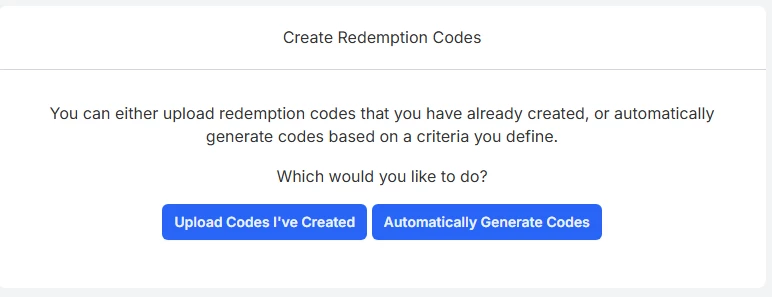
Oh! If you use the registration or redemption codes in TI, you can set it to have access be x number of days (or specific date) after that learner’s enrollment:
 

Maybe you could upload the code(s) you’ve created as redemption codes and set the access there: 

If codes are generated on the fly, it might be worth looking into using the API (and a middleware like Zapier) to automate the upload and configuration.

We’ve used the expire access on registration codes when offering free trials so learners have 30 days after redemption to explore.


  • Community Manager
  • February 4, 2026

Hi ​@mhelman 

Let us know if you can test out Maryam’s great suggestion above. Additionally, I had a chance to review this with our PS team who is also helping your team with this topic. So please let us know what gaps if any we can support you in resolving. 

Happy Learning!
Jeanne