
I’ve gotten some feedback from my internal teams about the layout of our internal pages and as I was perusing for inspiration, I happened to stumble upon this useful feature to filter a catalog based on inputs the user puts in from dropdowns. Specifically, this Explore page on the Thought Industries Academy: https://academy.thoughtindustries.com/pages/explore
Right at the top, there is this filtering container which is what I want to replicate. GIF for reference:
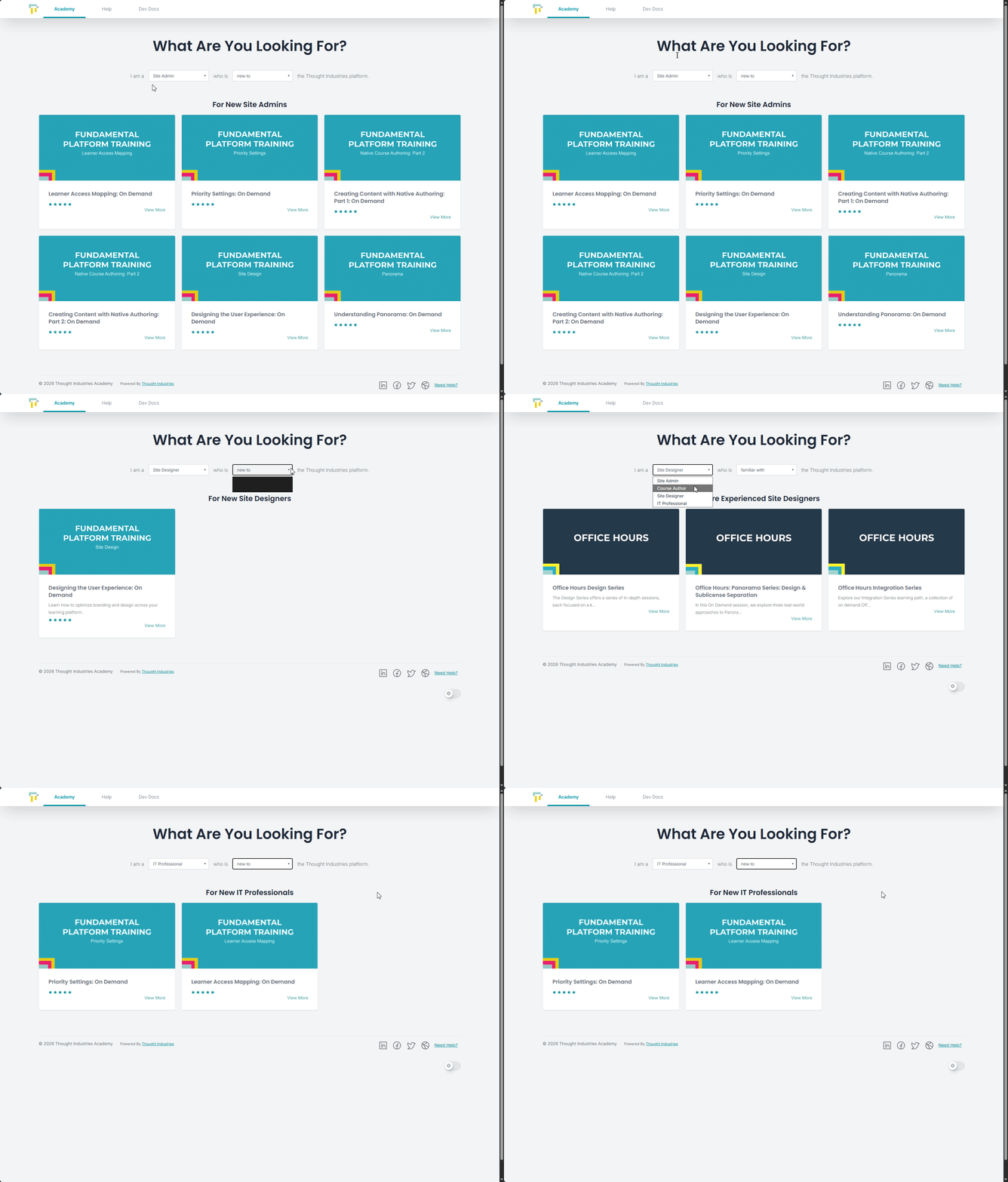
How would one go about getting something like this set up? I attempted to copy the source from DevTools in my browser and as expected, it failed miserably. For reference, it’s everything below this:
<div class="container-filtering"></div>
Would love to hear from the Community on if and how they have created something like this on a custom page. Thank you in advance!